

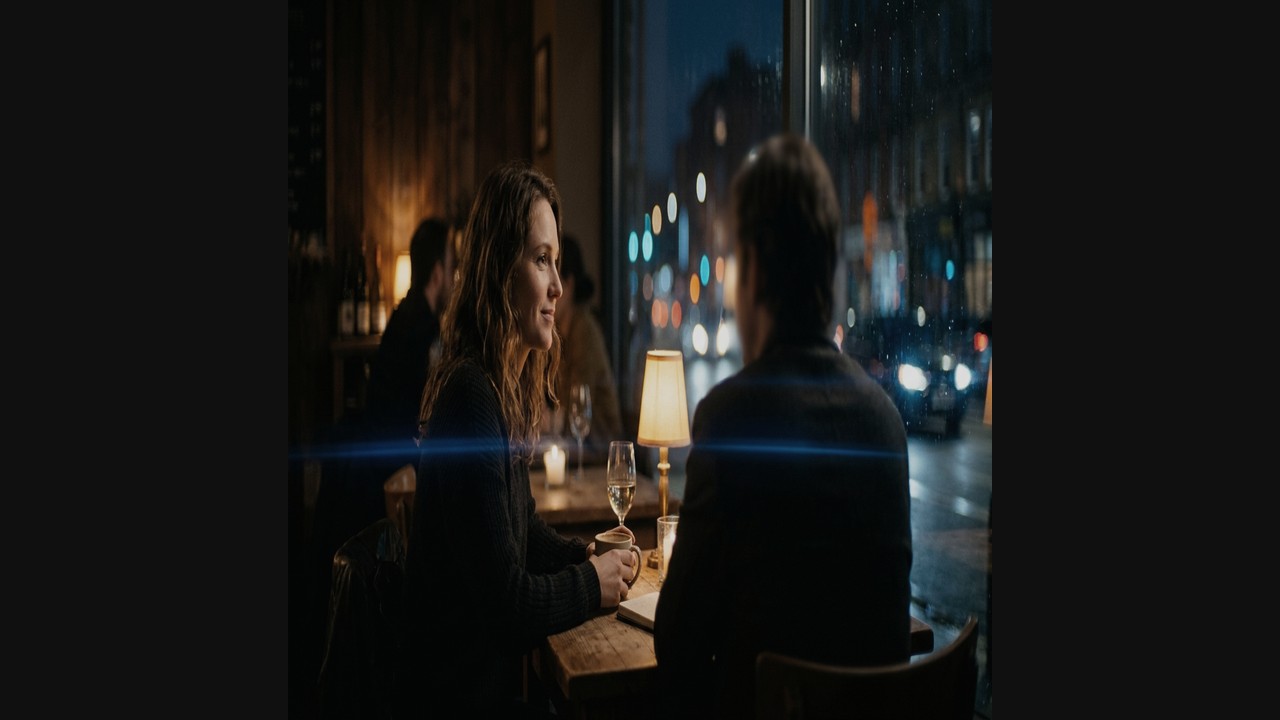
How Cylindrical Optics Work: The Physics of Optical Compression
Spherical lenses project a circular image with a 1:1 aspect ratio across the camera sensor. Anamorphic lenses incorporate cylindrical optical elements in front of or behind the spherical group. These cylindrical elements squeeze the horizontal field of view by a factor of 1.33x, 1.5x, 1.8x, or 2.0x, while leaving vertical geometry completely untouched.
When recorded on a camera sensor, human faces appear tall and stretched thin. In post-production, expanding the horizontal dimension by the inverse multiplier restores proper real-world proportions. The magical byproduct of this optical compression is a shallow depth-of-field characteristic of long focal lengths combined with the wide horizontal angle-of-view of wide focal lengths.
Squeeze Factor Mathematics: Matching Lenses to Sensors
The ideal squeeze factor depends entirely on your camera sensor's physical aspect ratio:
2.0x Squeeze (The Classical Standard): Designed for 4:3 (1.33:1) full-height sensors (such as ARRI Alexa Mini LF Open Gate or Panasonic GH6 4:3 mode). When 4:3 is de-squeezed by 2.0x, it yields 1.333 × 2.0 = 2.66:1, which is slightly cropped on the sides to 2.39:1.
1.5x / 1.6x Squeeze (The Modern Hybrid): Designed for 3:2 full-frame sensors. 1.5 × 1.5 = 2.25:1, or on 16:9 sensors: 1.777 × 1.5 = 2.66:1.
1.33x Squeeze (The 16:9 Budget Adapter): Designed specifically for standard 16:9 (1.777:1) sensors. Multiplying 1.777 × 1.333 yields exactly 2.37:1, perfectly filling a CinemaScope container without wasting sensor area.
Vintage anamorphic lenses often suffer from 'anamorphic mumps'—the squeeze factor drops from 2.0x at infinity down to 1.7x or 1.6x at close focus, making actors' faces appear unnaturally wide. If you cut between wide shots and close-ups, use keyframed Node Sizing in DaVinci Resolve to subtly adjust horizontal stretch by 3–5% on close-up shots.
Anamorphic Squeeze Factor & Sensor Matching Matrix
Mathematical guide to choosing lenses for camera sensor dimensions:
| Lens Squeeze | Target Sensor Mode | Calculated Aspect Ratio | Final Cropping Needed | Prominent Lens Examples |
|---|---|---|---|---|
| 2.0x | 4:3 (Open Gate) | 2.66:1 | Slight side crop to 2.39:1 | Panavision C-Series, Cooke Anamorphic/i, Atlas Orion |
| 1.8x | 4:3 / 3:2 Full Frame | 2.40:1 | Virtually zero crop | Kowa Prominar, Hawk V-Lite, P+S Technik |
| 1.5x | 3:2 / 16:9 Sensors | 2.25:1 to 2.66:1 | Crop top/bottom or sides | Laowa Proteus, Blazar Remus, Sirui Saturn |
| 1.33x | 16:9 (UHD / 4K) | 2.37:1 (~2.39:1) | Negligible (<1%) crop | Sirui 1.33x, Hawk 1.33x, Vazen 1.33x |
| 1.25x | 16:9 TV Broadcast | 2.22:1 | Side crop for 2.0:1 | Sirui Full-Frame Broadcast Adapters |
De-Squeezing in DaVinci Resolve: Clip Attributes vs Timeline Sizing
The cleanest method in DaVinci Resolve is at the Clip level: select your footage in the Media Pool, open Clip Attributes → Pixel Aspect Ratio, and choose your squeeze. This instructs Resolve's tracking, qualifier, and power window engines to calculate masks in de-squeezed space. Circular power windows will track as true circles, rather than stretching into ovals.
Color Grading Around Anamorphic Flares and Edge Aberrations
Anamorphic glass exhibits significant chromatic aberration and softness towards the outer edges, accompanied by horizontal blue, gold, or silver streak flares across bright specular lights. When grading anamorphic footage:
1. Preserve Streak Flare Purity: Do not clamp highlights with heavy roll-off LUTs that neutralize saturated flare colors. Use a parallel node with a luminance qualifier above 95 IRE to bypass creative hue shifts on flare streaks.
2. Counteract Optical Vignetting: Anamorphic lenses naturally darken the corners by 1 to 1.5 stops. If this is too aggressive, apply a soft elliptical power window with inverse exposure lift on Node 2.
Frequently Asked Questions
How do I de-squeeze anamorphic footage in DaVinci Resolve?
Select all anamorphic clips in the Media Pool, right-click and choose Clip Attributes. Under the Video tab, set Pixel Aspect Ratio to match your lens squeeze factor (e.g., Anamorphic 2x, Anamorphic 1.5x, or Anamorphic 1.33x). Resolve automatically calculates the non-square pixel stretch.
What happens if my lens has an uncommon squeeze factor like 1.6x or 1.8x?
If your squeeze factor is not listed in the Clip Attributes dropdown, go to Project Settings → Master Settings. Set your Timeline Resolution to your target de-squeezed dimensions, then in the Color page, use the Sizing → Output Sizing or Node Sizing palette. Unlink Width and Height, then set Pixel Aspect Width to your exact squeeze multiplier (e.g. 1.600 or 1.800).
Why do blue anamorphic lens flares turn muddy or magenta when applying a warm LUT?
Creative warm LUTs often push yellow/orange into highlights and midtones, which mathematically inverts or desaturates pure cyan/blue optical flares. To prevent this, colorists build a parallel node or use an HSL / 3D Qualifier to isolate the flare's blue vectors, protecting them from warm print emulation transforms.
Download Anamorphic Calibration LUTs
Tuned to preserve horizontal flare vibrancy, skin tone clarity, and smooth oval bokeh transitions across 1.33x, 1.5x, and 2.0x lenses.