
Sony S-Log3 to Rec.709
Master Exposure, Base ISO & Official .CUBE LUTs
Unlock 15+ stops of dynamic range on your Sony FX3, FX30, A7S III, or A7 IV. Master the +1.7 EV exposure rule and download calibrated 3D .CUBE conversion profiles for DaVinci Resolve, Premiere Pro, and CapCut.
Flat Sony S-Log3 vs Calibrated Rec.709 Standard


↔ Drag slider horizontally to compare flat log vs transformed Rec.709 colorimetry
The +1.7 EV Exposure Rule & Dual Base ISO Matrix
Unlike standard 8-bit profiles, Sony 10-bit S-Log3 is mathematically curved to protect highlights. Exposing at 0.0 EV will introduce noise in dark areas. For pristine shadows and clean skin tones, always overexpose by +1.7 to +2.0 EV.
Expose at +1.7 to +2.0 EV
Look at your camera’s Multi-Meter (M.M.) display. Adjust aperture, shutter, or ND filter until the meter reads between +1.7 and +2.0. When the conversion LUT is applied in post, shadows pull down cleanly with zero chroma noise.
Lock to Native Base ISO
Sony sensors have dual-native analogue gain circuits. On FX3 and A7S III, shooting at ISO 12,800 is cleaner than shooting at ISO 6,400! Always lock your camera to either low base or high base ISO.
Use S-Gamut3.Cine
Always set Color Gamut to S-Gamut3.Cine instead of standard S-Gamut3. Cine color space closely aligns with DCI-P3 wide gamut and digital film print stocks, making skin tones effortless to balance.
Sony Alpha & Cinema Camera Base ISO Reference Table
Calibrated native gain thresholds for lowest noise and maximum dynamic range
| Camera Model | Sensor Size | Low Base ISO | High Base ISO | Recommended Gamut |
|---|---|---|---|---|
| Sony FX3 / FX6 | Full Frame 12MP | ISO 800 | ISO 12,800 | S-Gamut3.Cine |
| Sony A7S III / ZV-E1 | Full Frame 12MP | ISO 800 | ISO 12,800 | S-Gamut3.Cine |
| Sony FX30 | Super35 (APS-C) 26MP | ISO 800 | ISO 2,500 | S-Gamut3.Cine |
| Sony A7 IV | Full Frame 33MP | ISO 800 | ISO 3,200 | S-Gamut3.Cine |
| Sony A7C II / A7CR | Full Frame 33MP / 61MP | ISO 800 | ISO 3,200 | S-Gamut3.Cine |
Download Free Sony S-Log3 3D .CUBE Conversion LUTs
Includes universal 33-point and 65-point precision .cube files. 100% free for commercial and editorial video production.
TECHNICAL TRANSFORM
Sony S-Log3 to Rec.709 Standard
Industry-standard reference normalization for FX3, FX30, and A7S III. Delivers pristine, broadcast-legal Rec.709 colorimetry.
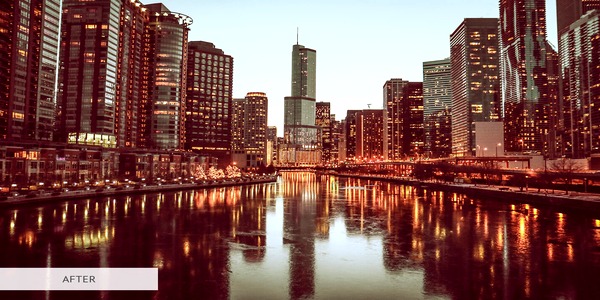 VENICE CINEMA LOOK
Sony s709 Cinema Monitor (VENICE)
Official VENICE cinema camera profile with gentle highlight rolloff and warm, natural skin tones. The choice of cinematographers worldwide.
 35MM FILM ROLLOFF
Sony LC-709 Type A (Film Rolloff)
Low-contrast curve emulating the soft highlight response of classic 35mm motion picture film. Perfect for harsh sunlight.
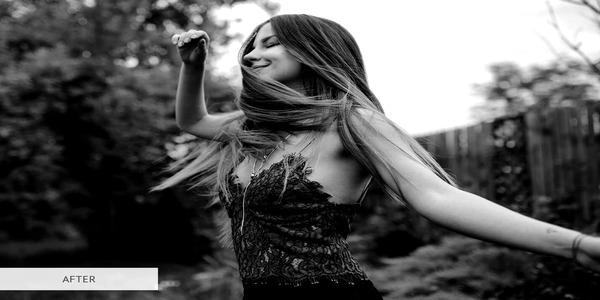 800% DYNAMIC RANGE
Sony 709 (800%) Broadcast
Engineered for high dynamic range scenes where specular window blowouts must be tamed without darkening mid-tone skin tones.
 A7 IV OPTIMIZED
Sony Alpha A7 IV Filmic Look
Custom color calibration tuned specifically for the 33MP sensor, providing richer greens and smooth shadow transitions.
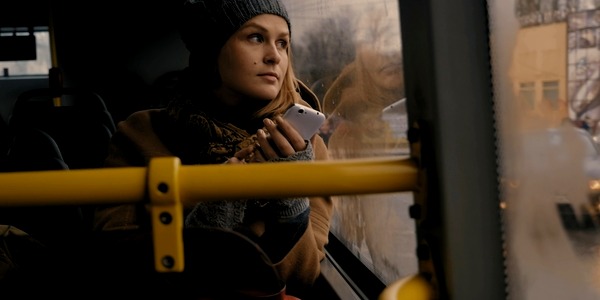 HLG / BT.2020
Sony HLG3 / BT.2020 to Rec.709
Instant SDR broadcast mapping for Sony Hybrid Log-Gamma recordings without complex color management setups.
How to Apply S-Log3 LUTs Across Major Software
Select your preferred video editing platform below for detailed step-by-step instructions.
DaVinci Resolve 18 & 19 Color Page Workflow
- Download the 65-point precision .CUBE file from MonoLUTs above.
- In DaVinci Resolve, go to File > Project Settings > Color Management and click Open LUT Folder. Create a folder named
MonoLUTsand paste the .cube file. Click Update Lists. - Switch to the Color Page. In your Node Graph, create a 3-node serial tree:
- Node 1: Exposure & Balance (Lift/Gamma/Gain wheels)
- Node 2: Creative Film Grade / Adjustments
- Node 3: Output Technical Transform (Right click > LUT > MonoLUTs > Sony S-Log3 to Rec.709)
- Pro Tip (Color Space Transform): If using CST plugin instead, set Input Color Space to Sony S-Gamut3.Cine, Input Gamma to Sony S-Log3, Output Color Space to Rec.709, Output Gamma to Rec.709.
Sony S-Log3 Color Science FAQ
Why does my S-Log3 footage look noisy in the shadows?
Shadow noise in S-Log3 is almost always caused by underexposure. S-Log3 allocates significant code values to highlight headroom. If you expose at 0.0 EV (like standard video), shadows fall into the noisy bottom bits of the sensor. Overexposing by +1.7 to +2.0 EV pushes shadows up into cleaner sensor quantization.
Can I shoot S-Log3 on older 8-bit Sony cameras like the A7 III or A6400?
While older 8-bit cameras offer S-Log3 in Picture Profile 8/9, it is not recommended. 8-bit video only has 256 tonal steps per channel, causing severe color banding (posterization) in skies and skin when converted. On 8-bit cameras, use HLG3 (Hybrid Log-Gamma) or Cine4 instead. Reserve S-Log3 for 10-bit models (FX3, FX30, A7 IV, A7S III).
What is the difference between S-Gamut3 and S-Gamut3.Cine?
S-Gamut3 is an ultra-wide color gamut designed to capture all visible colors, but it is notoriously difficult to grade and can produce unnatural magenta/green color shifts. S-Gamut3.Cine was designed specifically for digital cinema; it aligns perfectly with DCI-P3 and transforms cleanly into Rec.709 with accurate human skin tones.
Are these .CUBE files compatible with mobile apps like VN or Lumafusion?
Yes! Our 33-point .CUBE files are 100% compliant with industry standard 3D LUT formats. You can airDrop or transfer them to iPhone or Android and load them directly into VN Video Editor, LumaFusion, or CapCut Mobile.